Tutorials#
The example notebooks have several additional dependencies that need to installed in addition to hysetter. You can install all the dependencies using Pixi. You can first install Pixi by following the installation instructions for your platform. Then, run the following command in the root of the repository:
This will install all the dependencies needed to run the example notebooks in an isolated environment under ./.pixi/envs/dev. If you are using an IDE like VSCode, it should automatically detect the environment, so you can select it as the interpreter for the notebooks.
Alternatively, if you prefer to use micromamba, conda, or mamba, you can create a new environment and install the dependencies from the environment.yml file provided in the root of the repository. You can download this file from here, then use the following command to create the environment:
This will create a new environment named hysetter with all the dependencies installed.
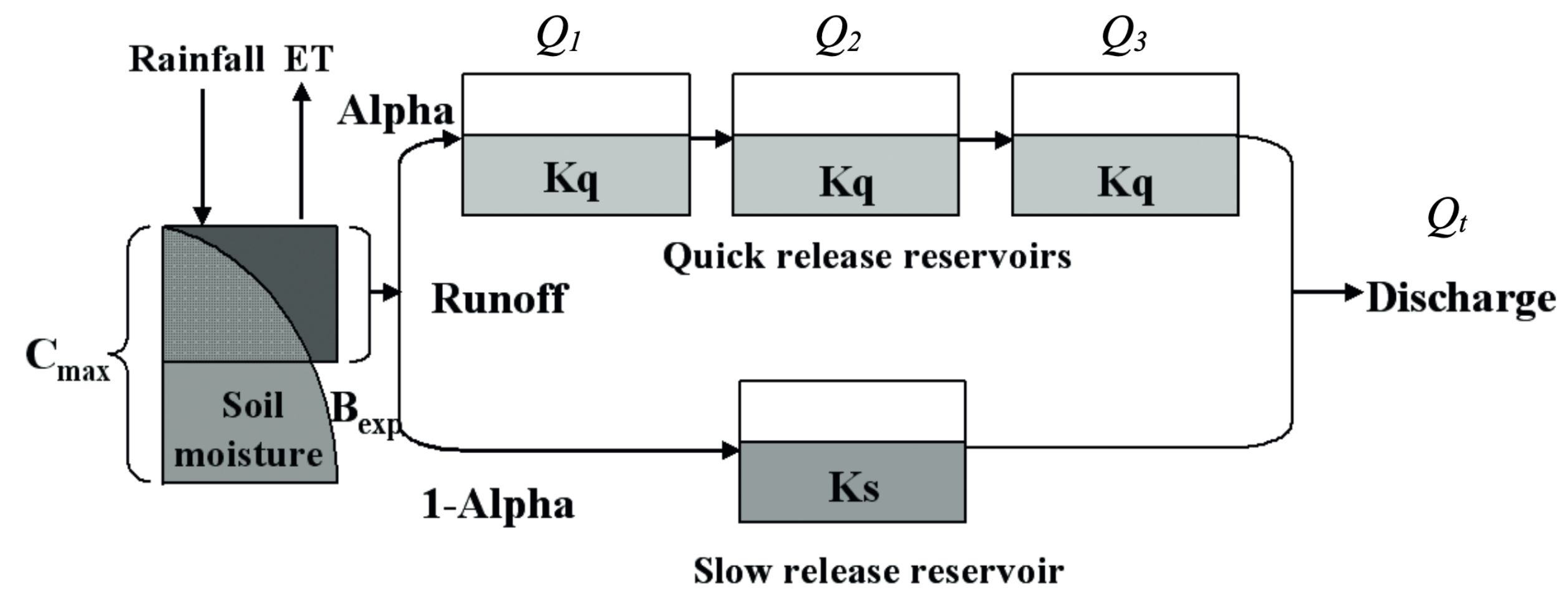 HYMOD
HYMOD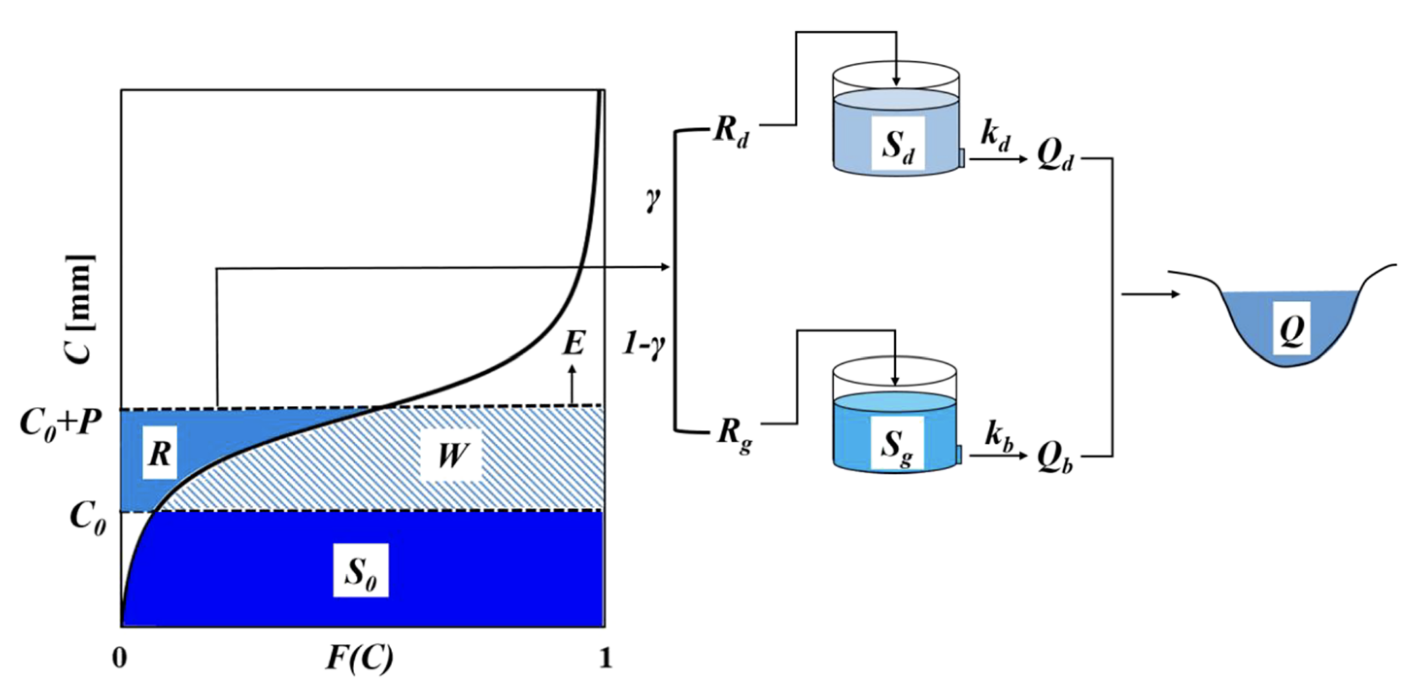 NCRS-PDM